
Cango casino app: install in brief
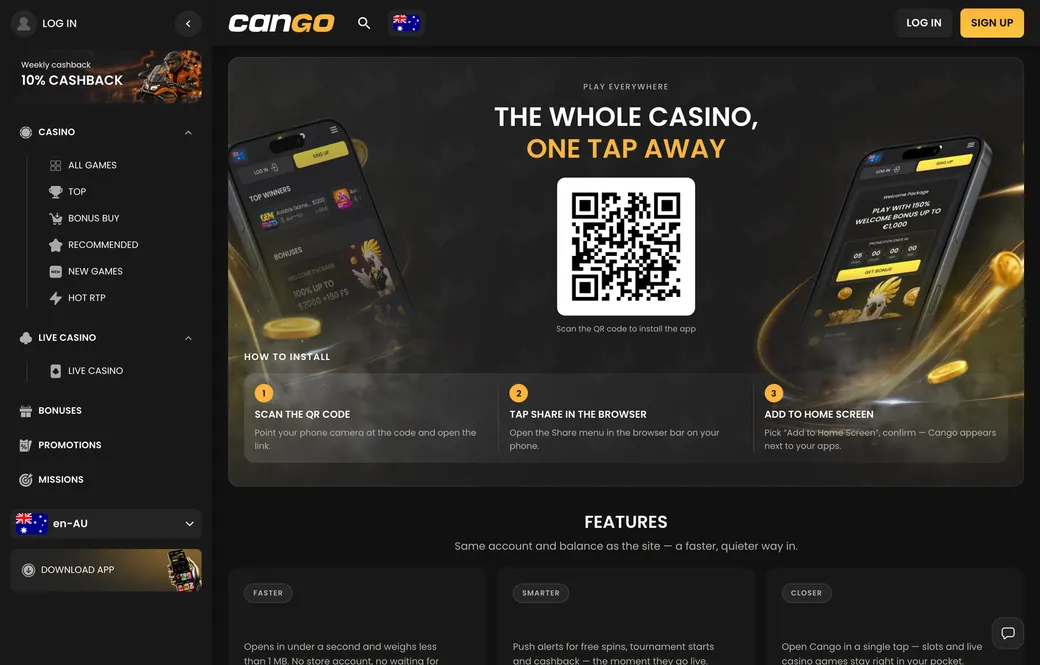
Aussie players looking for the cango app will not find a traditional package inside the Apple App Store or Google Play. Instead, the platform uses a Progressive Web App, or PWA, which installs directly from your mobile browser onto your phone screen in about ten seconds. It works on both iPhone and Android devices, giving you a dedicated home-screen icon, a full-screen window without browser address bars, and direct entry to your account. If you already play on a laptop, you can also scan a QR code on the desktop screen to open the mobile version straight away and pin the shortcut.
| Device | Installation steps | What you need |
|---|---|---|
| iPhone or iPad | Open the site in Safari, tap the Share icon at the bottom, scroll down and tap Add to Home Screen, then tap Add in the top corner | Safari browser, iOS device, active internet connection |
| Android phone or tablet | Open the site in Chrome, tap the three-dot menu in the top corner, select Install app or Add to Home screen, then confirm | Chrome or modern Android browser, active internet connection |
| Desktop to mobile via QR | Open the casino menu on your computer, point your phone camera at the QR code on the app page, then follow the browser prompt | Smartphone camera, Safari on iPhone or Chrome on Android |
Once the cango casino app icon sits on your phone screen, tapping it opens the exact same cashier and balance you see on a desktop computer. The minimum deposit through the mobile cashier is A$15 for standard play, or A$45 if you are claiming the first welcome bonus with code WP1. Aussie players normally hold an AUD account, so all amounts here are in AUD, and a deposit from an Australian bank card is charged in the same currency with no conversion.
As an illustration, a A$45 deposit made in the app shows as A$45.00 on your card statement; the casino itself charges nothing, and the 3-D Secure approval opens in your banking app on the same phone.